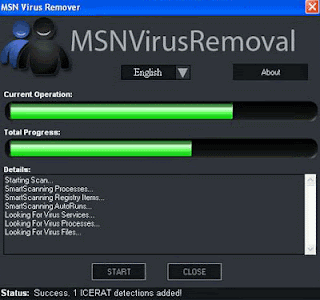
The latest threat encircling Facebook is a rogue application dubbed "Distracting Beach Babes." The application compromised the security of thousands of users' accounts by way of status messages that appear to be from friends but when the users click through on the link, they're asked to give an application permission to run. The app then tells users they must update their "FLV player" before they can see the video. Those who attempt to do so are redirected to another page where malware is installed on their computer. This is hardly the first rogue application to take advantage of Facebook's automated app approval systems. In fact, only days ago, a similar attack take place. This one was a link to what was purportedly the "sexiest video ever!". This particular application led to a very busy weekend for anti-virus firms, indicating a major push by rogue Facebook apps. There anti-malware software blocked more than 30,000 rogue Facebook applications, more than three times the rate of rogue anti-spyware. In other words, the new anti-malware wave won't be coming from email, IM or other random websites users are tricked into visiting. It will come from your Facebook friends.
If you are one of those Windows XP users who has downloaded latest McAfee security patch file on 21st April 10, then you might face some trouble. However if you are working on Windows Vista or Windows 7, then you need not worry as this patch is working perfectly fine on these MS Operating Systems. Following issues are faced after instating above patch files: • Automatic system shutdown • Slow Internet connection • Poor Computer performance Solution for Automatic system shutdown Step 1: Open a command prompt: Start menu, Run, then type cmd and hit Enter Step 2: Type shutdown -a, which will prevent the shutdown from occurring Once Slow Internet connection Step 1: Click Start, Programs, McAfee, and then VirusScan Console Step 2: Right-click “Access Protection” Step 3: Select “Disable” Poor Computer performance Step 1: Download EXTRA.ZIP, from the McAfee site and unzip to get EXTRA.DAT Step 2: Click Start, Run, then type services.msc and click “OK” Step 3: Right-click the McAfee McShield service and select “Stop” Step 4: Copy EXTRA.DAT to “\Program Files\Common Files\McAfee\Engine” Step 5: Then restart the McAfee McShield service by right-clicking on it and choosing “Start” from the context menu Step 6: Re-enable access protection by going back to the VirusScan Console Step 7: Right-click “Access Protection” Step 8: Select “Enable” Step 9: In the VirusScan Console, go to the Quarantine Manager Policy Step 10: Click the Manager tab Step 11: Right-click on each file in the Quarantine and choose “Restore” Once you have completed all these steps, your computer will function as it was before. All that we have done is these steps is disabled the erroneous patch and enabled the correct patch.
Today users always get confused in selecting the top antivirus along with several options available in the market. While choosing the best antivirus software program for your PC, you should do antivirus comparison analyze according to your requirements and after that look for the features that suit you.
With the availability of a variety of antivirus brands, it is very difficult to choose the best antivirus software for your PC. Although most of them look similar, there are major differences in their features. The most important issue which every user should consider while making a option is usability and compatibility with his PC and operating system.
Here is the list of top 10 antivirus programs along with their brief features:
Kaspersky Antivirus: It is one of the most trusted antivirus programs that provides the vital protection you need to guard your PC against Internet threats. Kaspersky not only protects against viruses, spyware, Trojans, rootkits, but also detects application vulnerabilities, scans websites for malicious software and offers a line of defense against phishing and identity theft.
NOD 32 Antivirus: It is an effectual and easy-to-use antivirus program that provides real-time protection against worms, Trojans, malware, phishing, and hackers. It not only stops the viruses to enter your computer, but prevents malware from degrading the performance of your PC.
Bitdefender Antivirus: It provides better protection by preventing your PC against viruses, spyware and phishing attacks. It scans e-mail and instant messaging traffic in real time and blocks spyware programs that track your online activities.
AVG Antivirus: It offers numerous enhanced features. Apart from preventing the stretch of viruses on your PC, it also checks your system for malicious content. It has Web Shield that allows you to download and exchange files preventing your computer against the risk of virus infections.
McAfee Antivirus: McAfee PC security and virus scan offers upbeat PC security that help prevent malicious attacks, search and download files without any threat from virus infections. It detects, blocks, and removes viruses, spywares and adware from your PC and warns you before accessing dangerous scam websites that try to steal your personal information.
Avast Antivirus: It offers full virus protection. It will let you safely browse through the Internet, block hacker attacks to protect your identity, and keep your mailbox free from spam. Daily automatic updates ensure complete data protection against all types of malware and spyware.
Norton Antivirus: This software offers effective protection against wide-ranging security threats to protect your PC. Incorporated with advanced features, it provides instant messaging scanning, script blocking and POP3 and SMTP e-mail protection.
Trend Micro Antivirus: It provides vital security you need to safeguard your critical data. Powered by PC-cillin Internet security engine, it protects your PC from unpredicted intrusions.
Panda Antivirus: This software provides one of the most intrusive protections against viruses, spyware, rootkits, hackers, online frauds, and identity theft.
F-Secure Antivirus: It thoroughly scans your PC and its built-in anti-spyware scanner provides enhanced protection against virus and spyware intrusions.
Your PC can be infected by virus, spyware, threats even if you have an antivirus installed. I constantly advised to regularly update your antivirus and secure your PC against latest virus-threats. Users want to install an antivirus program on his Windows XP PC.
Basic Steps To Install Antivirus Program
Download Antivirus:- Download the antivirus program of your choice. Save the installation setup on your desktop.
Start Setup:- Double-click on the setup file on the desktop.
Begin Installation:- Click on “Next” followed by “Yes” to begin the installation process.
Follow Instruction:- Follow the onscreen instructions and wait for the installation process to complete. This may take several minutes depending upon the speed of your Windows XP PC.
Click Finish:- Click on “Finish” to complete and exit the installation process.
Update:- Right-click on the antivirus icon on the bottom right of your desktop screen. Select “Update” to update antivirus program. You should repeat the procedure once a week.
It is very much possible for your computer to be attacked by virus in today’s world. There are many mediums by which a virus could gain access to your computer. Mostly it is observed that virus gain access into your computer via internet. Internet is very essential for every user so it is not possible to avoid Internet. So it’s really very important for everyone to use internet safely in such a way that unwanted elements like virus and worms couldn’t make their way into computer. You can manually remove viruses from computer. Many procedures for effective virus removal are available online.
Features
Keeping viruses away from your computer is essential if you want to keep it working efficiently and avoid freeze and crashes. Virus removal is not a very complicated job to perform that occupies a lot of time, but there are few things you have to make sure. It is very essential for you to remove your computer from any network whenever you suspect a virus in your computer. Follow some basic instructions given below in order to remove virus from your computer manually.
Scan your computer through the antivirus software.
If you don’t have any antivirus software on your computer then download it from any source available online. There are many antivirus software available, such as AVG, McAfee, Norton etc.
To install the antivirus, go through readme file available with the software. Follow the instructions in given in the readme file.
After the completion of installation process of antivirus, keep on scanning your computer through antivirus until it removes all the viruses from your computer.
To download the latest updates available for antivirus, connect your computer to the Internet.
After completely updating the antivirus software, run it again to remove the virus from your computer.
Usability
There are many companies, which provide Antivirus Software. Every antivirus has its own special features and characteristics. Your choice for antivirus software depends upon the features you expect from antivirus software.
It is not possible for anyone to protect his computer from virus, spyware and malware through any single antivirus because there are some viruses, which are not detectible by antivirus software. So, I strongly recommend you to go for some technical support firms. These technical support firms assist you remotely via telephone and chat. Their Microsoft Certified technical specialist will remove all the viruses from your computer very fluently. Enjoy hassle-free unlimited technical support 24/7/365.
Antivirus safeguards your system against rouge and malicious application threat such as virus, keyloggers, spywares, adware’s and explicit malwares. Recently, I purchased HP laptop from HP dealer. Two days back, when I was working on my laptop, I got a notification stating that my system has a virus on it. I downloaded and installAntivirusAVG free version and performed complete scanning of system, but it did not worked. Finally, I decided to contact professional technical organization to offer remote desktop support. Certified professionals accessed my laptop remotely via Internet and resolved my issue at reasonable cost.
Features
Antivirus security software shields your PC against nasty application codes, such as virus spywares, adware and malwares. It safeguards your system from phishing websites.In order to maintain persistent and smooth performance of your PC, a proper antivirus software must be installed. Antivirus provides total protection to system from all sorts of threat. Some of the remarkable features of antivirus security software are-
Virus Protection: Automatically detects repairs and removes virus, Trojans, rootkits and explicit program code designed to tamper with your PC.
Rapid Scan: Quick scan throws out virus and threats in the most commonly infected areas of PC. Scanning just takes few minutes to detect and repair threat.
Website Safety Ratings: Makes you assure about authentication of website regarding online scam, spam and adware’s.
Protection against Identity Theft: Allows you to bank, shop, trade online smoothly and efficiently by asking permission before confidential information like PIN, bank accounts and security numbers are sent from your PC.
Automatic Data Backup: Copy all files and folders to CD’s, DVD’s, USB and external drives.
Browser Security: Browse millions of website simultaneously without worrying about any security hazard, cookie spying and annoying popups. Be safe and secure with browser while you surf.
If you feel difficulty with installation of antivirus security program at your system, simply follow the steps mentioned below-
Install Antivirus Software on Windows O.S.
STEP 1- Purchase a bootable CD of Antivirus security software from nearest retailer. Example, McAfee Antivirus.
STEP 2- Insert Antivirus CD in CD drive and “Run” the setup.
STEP 3- Read all the license term and conditions thoroughly and click on “I accept” to agree.
STEP 4- Wait for some time till the installation processing completes and finally click on “Finish” option to complete the installation procedure.
Usability
Download and install particular antivirus security program that you need using search engine. After installing antivirus on your PC, perform complete scanning of your system to repair virus and threat.
Recommendation
I strongly recommend you to have a certified technical support to install antivirus security software on your system. Installing antivirus through search engine creates probability of severe virus attacks on system so, it is better to get it installed by certified professionals.
Computer virus is a malicious application code that reduces work efficiency of your desktop PC. It is a software program that copies itself and infects a computer. Widely, computer virus is a common term used to represent other types of malwares, adware and spyware programs that cannot reproduce further.
There are different types of virus threat that might be detected easily, but there are viruses that are hidden in form of files. This makes the users unaware that their computer has been affected by viruses.
Some of the common types of virus are-
• Boot sector viruses: This virus badly affects removal disks, diskettes and hard drive.Virus affects the Mater Boot Record present in floppy disk and inserting it causes severe infection to your Desktop PC. Inserting of infected floppy into hard drive causes infection to system as well.
• Program viruses: This type of virus is referred as extensions of .BIN, .COM, .EXE, .OLV,.DRV. Opening of program file containing virus, activates the affect of virus infection. Activation of program virus causes reduplication of virus and infection to other programs atsystem.
• Multipartite viruses: This virus infects the program files and boot records once the program is activated. As soon as you boot your system, all the local drives and application programs will be infected causing system breakdown.
• Stealth viruses: It is not easily detected by any antivirus security software. The virus hides in a very unique manner, such as hiding himself in memory or modifying its file size.
• Polymorphic viruses: It has a capability of changing virus signature that is known as binary pattern. Known for its multiplying and hiding capability, it is not easily detected by any antivirus security program.
The hazardous affects of computer virus are mentioned below-
1. It causes slow working of system. 2. The probability of freezing and halting of desktop screen increase. 3. It often restarts itself. 4. It displays some uncommon error messages, dialog boxes and distorted menu. 5. Improper working of application programs and incorrect document printing.
To prevent unnecessary virus attack at your system, antivirus install security software, such as McAfee Premium or AVG free version.